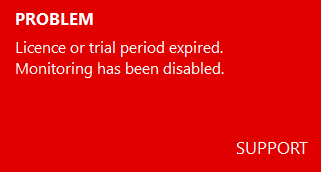
This notice will appear on the child's device when the free trial period or the licence duration has expired.
Resolve the Issue
Log in to the Web Portal with your email address and select the appropriate device. If you would like to purchase or renew a license, select here (see links) or in the Web Portal “Order”. If you no longer wish to use the device, uninstall the software. If the device is no longer accessible, it can be removed in the Web Portal via “Delete Device”.
Important: After purchasing/renewing a license, you must log in to the Web Portal at least once more and select the device. This is the only way to reset the license issue. If the license message does not automatically disappear from the child's device, please restart the device once.
Additional Ressources
You can find additional details about licences in the Licence chapter of the manual.
We use cookies to give you the best experience. See our
Privacy Policy