

Roblox can be safe for kids, but not with its default settings. It is three things at once: a game, a social network, and a marketplace, almost all of it built by other users. That mix is what makes it appealing, and it is also where the risks come from.
It is easier to secure than it was a year ago. Across 2025 and 2026, Roblox rebuilt its protections for younger players. Once you change a few settings and set some ground rules, most families can let their child play with confidence.
Roblox reported 144 million daily active users in the final quarter of 2025, up 69 percent in a year, and children and young teens make up a large share of them.
Roblox’s core problem is simple: anyone can publish a game, and anyone can talk to your child inside it. Roblox moderates both, but not fast enough to catch everything. The main risks are:
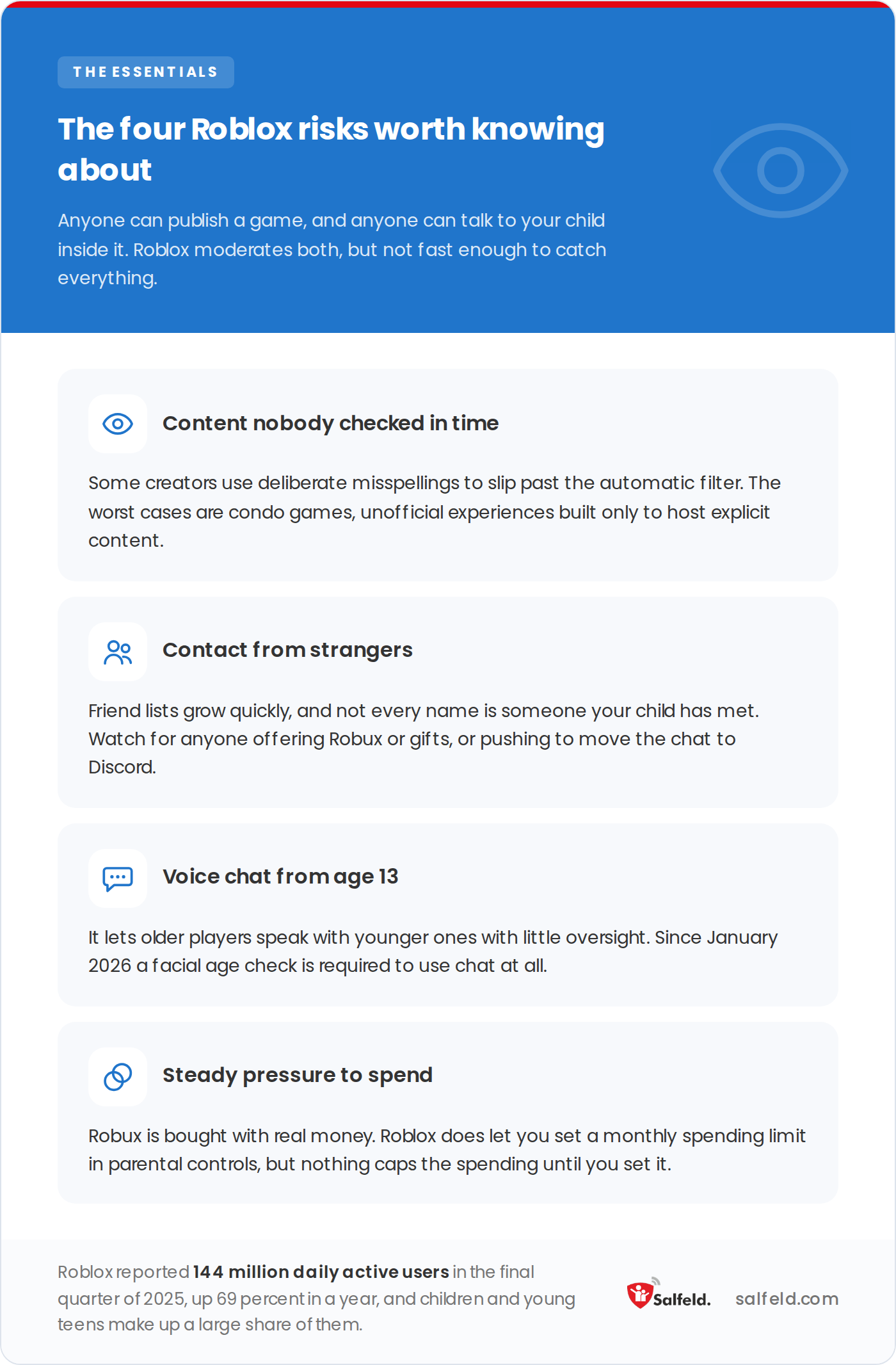
Three of the four come from other players rather than from the games themselves.
The hidden danger of “condo games”
A CBS News investigation uncovered alarming details about “condo games” on Roblox, where explicit content such as pornographic scenes and simulated sex acts appears. These games are built to bypass Roblox’s moderation, and while Roblox actively removes them, they can still surface temporarily and expose young users to inappropriate material.
Roblox’s safety tools are effective, but you have to switch most of them on yourself. The 2026 update made younger accounts safer from the start.
What changed in 2025 and 2026: age checks and new kid accounts
Roblox has overhauled how safety works for younger players. Since January 2026, a facial age check is required to use chat, and over half of daily users worldwide have already completed it.
In June 2026 Roblox began rolling out two age-based account types for users under 16: Roblox Kids (ages 5 to 8) and Roblox Select (ages 9 to 15). Each comes with a curated game catalog and tighter communication limits, with chat turned off by default for the youngest.
Parents also gained expanded controls: content ratings, communication settings, screen-time and spending limits, plus blocking or approving specific games through age 15. Roblox is moving to standard IARC content ratings (ESRB in the US, PEGI in Europe) later in 2026.
The steps below still apply. These tighter starting points simply make them stronger.
Work through these four groups.
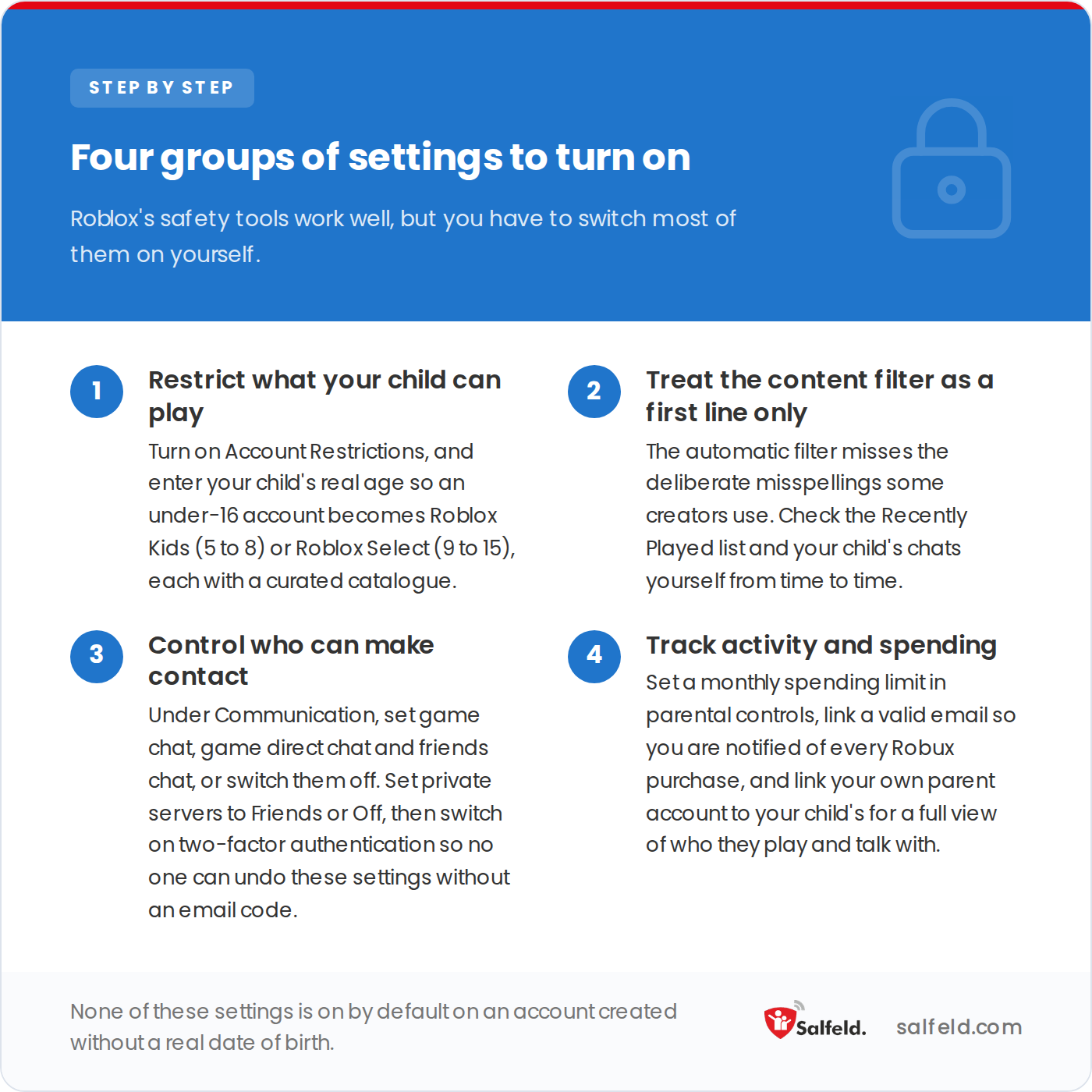
None of these are on by default on an account created without a real date of birth.
Two patterns are worth recognizing, plus one behavioral cue.
A grooming approach usually involves someone who:
Any one of these alone may be harmless. Together, they form a pattern.
The games themselves fall into three risk levels:
Watch your child’s behavior, too. A child who suddenly hides the screen when you approach, switches games quickly, or becomes evasive about who they play with usually means little on its own, but it is worth a calm conversation.
Where possible, agree with your child on a list of approved games they can play without checking in first.
Act quickly, but start with reassurance: tell your child immediately that they have done nothing wrong, because they are more likely to come to you next time if this time does not lead to punishment. Then take these steps.
Roblox’s controls work well inside Roblox. They stop at three things:
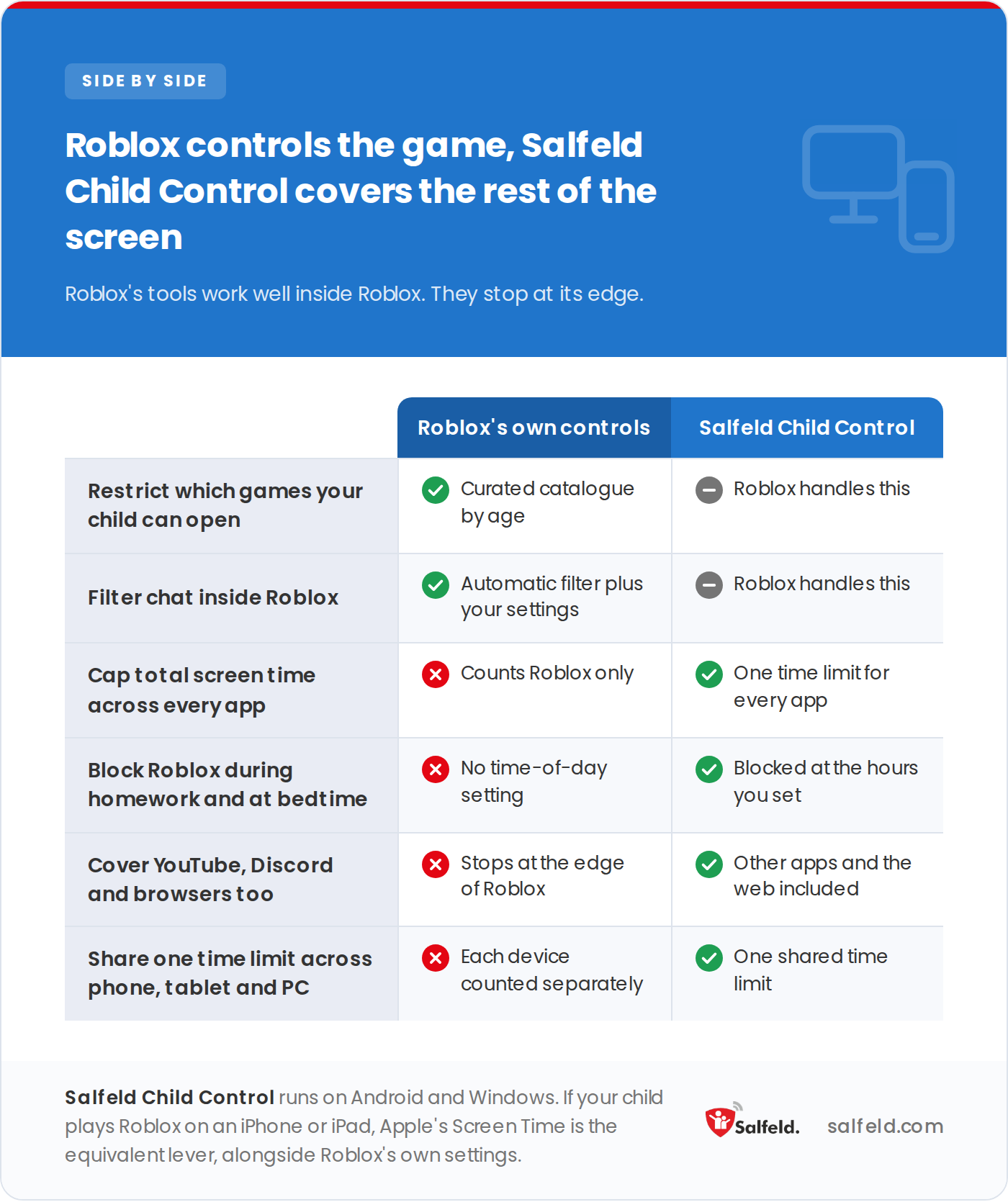
The table below repeats every line in text, which is the version screen readers and search engines can read.
| What you need | Roblox’s own controls | Salfeld Child Control |
|---|---|---|
| Restrict which games your child can open | Yes, curated catalogue by age | Roblox handles this |
| Filter chat inside Roblox | Yes, automatic filter plus your settings | Roblox handles this |
| Cap total screen time across every app | No, counts Roblox only | Yes, one time limit for every app |
| Block Roblox during homework and at bedtime | No time-of-day setting | Yes, at the hours you set |
| Cover YouTube, Discord and browsers too | No, stops at the edge of Roblox | Yes, other apps and the web included |
| Share one time limit across phone, tablet and PC | No, each device counted separately | Yes, one shared time limit |
A device-level control fills that gap. On Android and Windows, Salfeld Child Control sets one time budget that can include Roblox, blocks apps during set hours, and filters content across every browser. Its shared budget covers the phone, tablet, and computer together instead of counting separately on each. It is a one-time payment, not a subscription, starting at $19.95 for one device for 12 months, with a 30-day free trial and a 30-day money-back guarantee.
One caveat: Salfeld Child Control runs on Android and Windows only. If your child plays Roblox on an iPhone or iPad, use Apple’s Screen Time alongside Roblox’s in-app settings.
Try Salfeld Child Control free for 30 days
Roblox controls games and chat. Salfeld Child Control covers the rest: real time limits, apps blocked during school and sleep, and one screen-time budget shared across your child’s phone, tablet, and PC. Start a free trial on Android and Windows, with a 30-day money-back guarantee.
The same habits protect your child on every app, not just Roblox:
Minecraft is often the next game parents ask about, and its controls work very differently, through your Microsoft account rather than the game itself. Our Minecraft parental controls guide walks through that setup.
Roblox can be safe for children once you change its default settings. For a child under 16, entering their real age places them on a Roblox Kids (ages 5 to 8) or Roblox Select (ages 9 to 15) account, each with a curated game catalog and chat off by default for the youngest. Layer a device-level time limit on top for full coverage.
Roblox allows all ages, but its 2026 redesign added age-based accounts for under-16s, and voice chat is limited to ages 13 and up. A common approach is to let children aged 9 and up play on a Roblox Select account with restrictions switched on, while keeping younger children on the strictest settings with closer supervision.
Yes, unless you restrict it. In parental controls, under Communication, set game chat, game direct chat and friends chat to what you are comfortable with, or switch them off. Set private servers to Friends or Off, and enable two-factor authentication so settings cannot be changed without an email code. Since January 2026, a facial age check is required to use chat, which limits some adult-to-minor contact but does not replace your own settings.
Link a valid email so you are notified of every Robux purchase, and review the purchase and Recently Played history regularly. Roblox has no hard spending cap, so a device-level control that blocks the app or in-app purchases during set hours is the most reliable way to prevent a steady stream of small purchases.
We aim to publish guides that are genuinely useful, but the interfaces and settings described here change often. If a step no longer works, or if anything here is wrong, tell us and we will correct it.